Testing the Kempston compatible joystick interface

In part 2 we built our interface hardware, now it's time to try to read it from the MicroBeast!
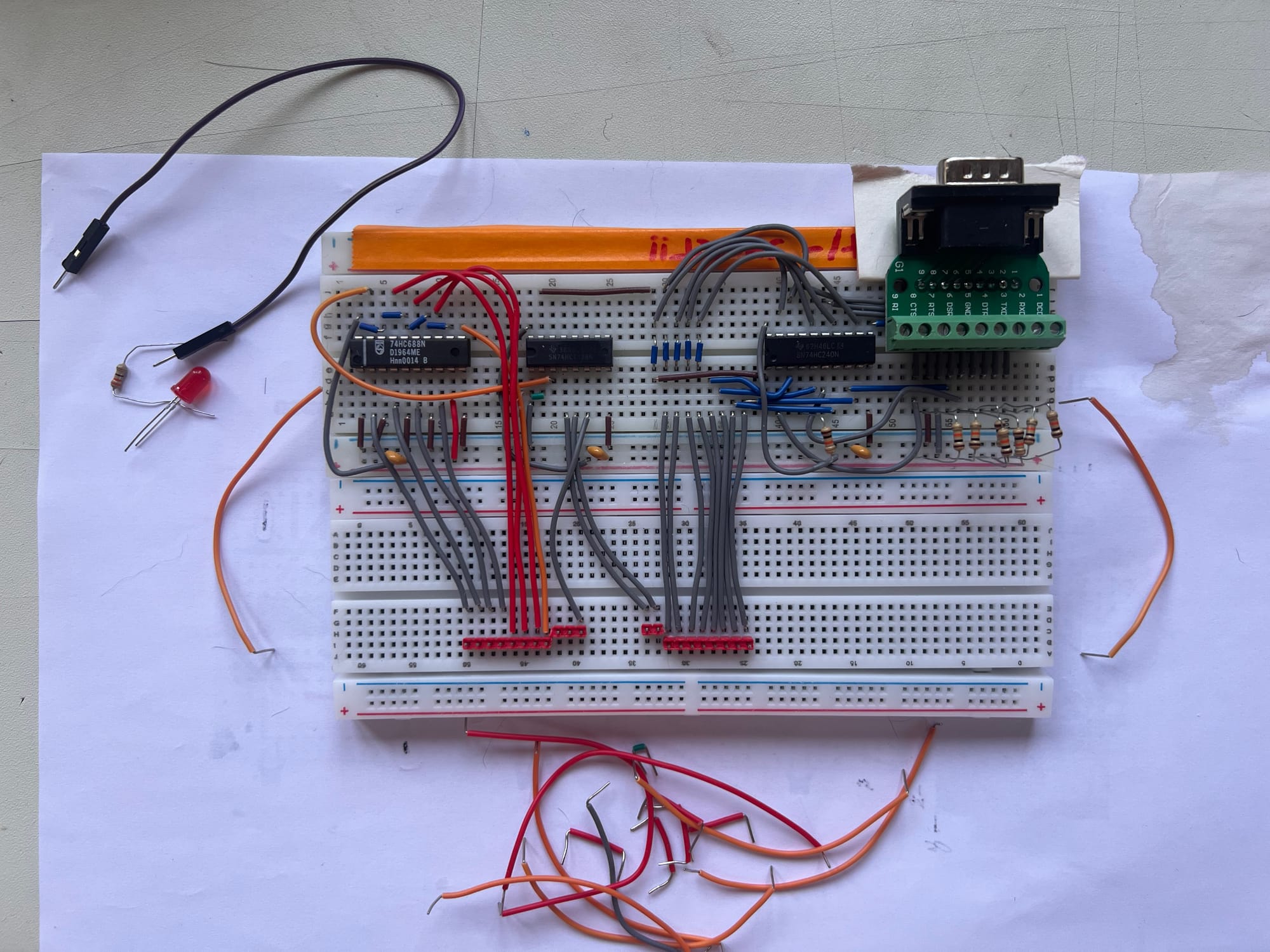
To do that, we'll have to actually connect it to a MicroBeast, so we'd better clear up the support circuitry we've been using so far to fake it:
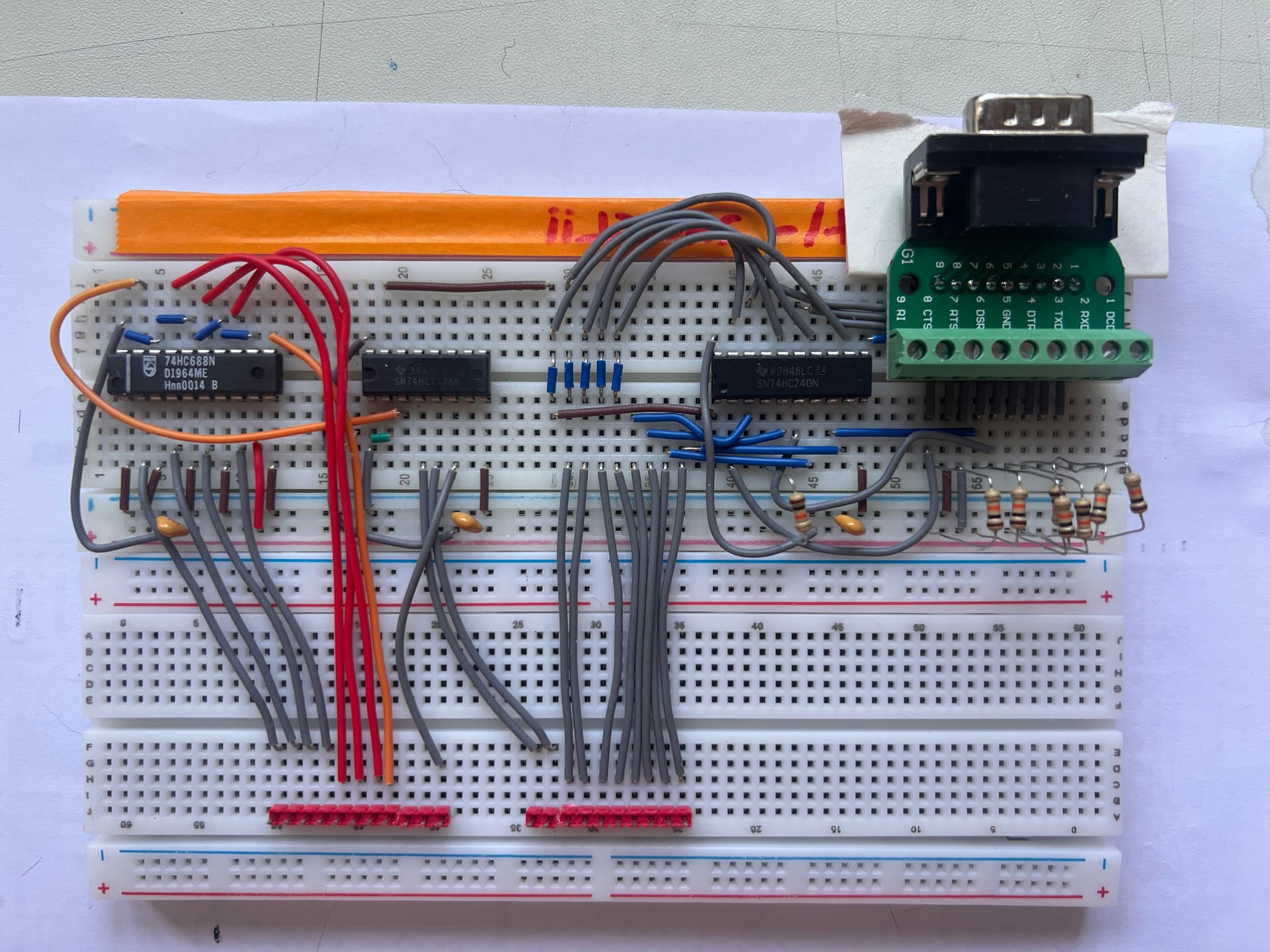
Then I moved all the connectors into a straight line, ready for the RC2014 connector:
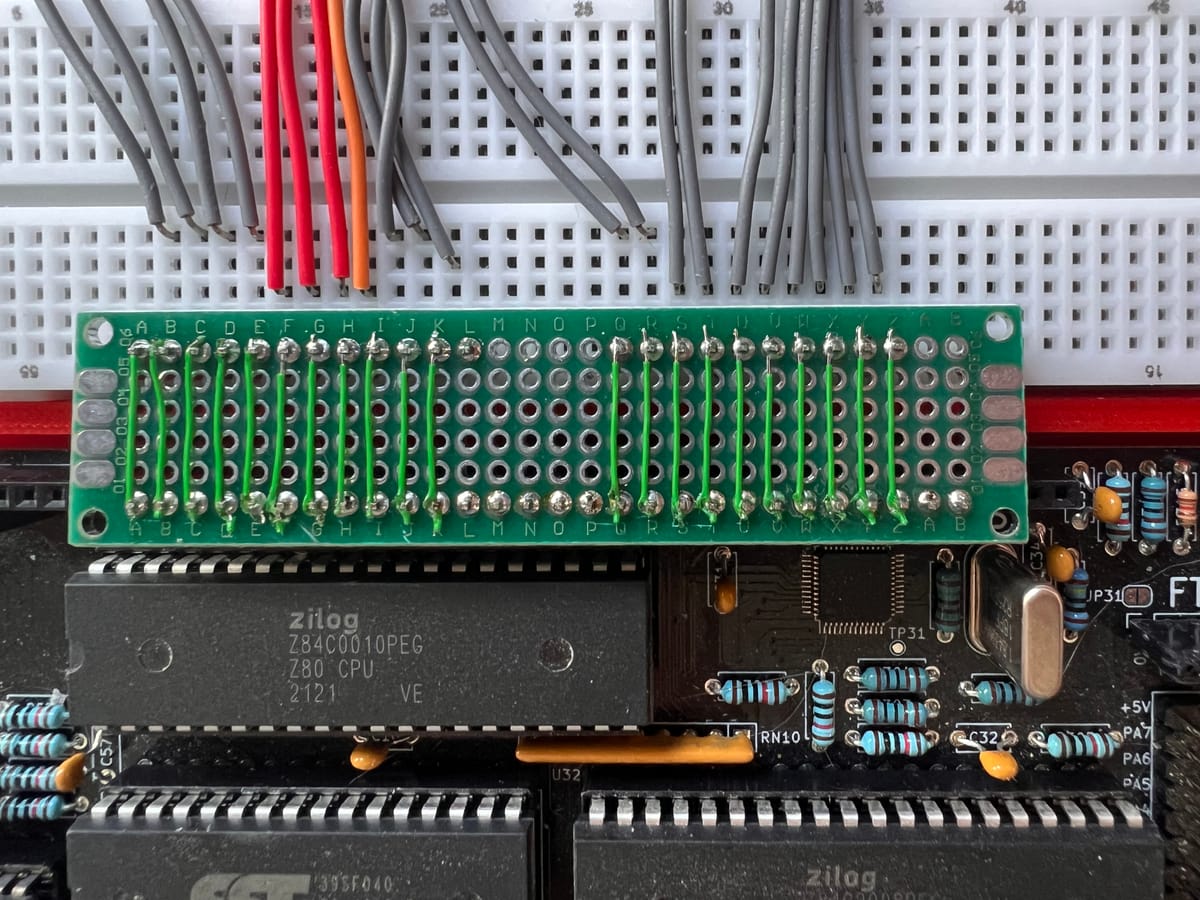
To hook it up to the MicroBeast we could use 21 DuPont wires, but that's likely to be a bit unreliable, so I opted to make a simple adaptor board instead:
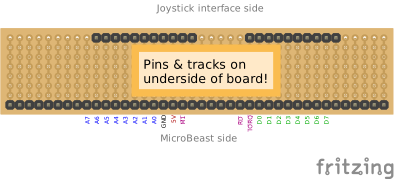
The plan is to use a bit of scrap Veroboard, which has copper tracks running top to bottom. The board needs to be tall enough to bridge the gap between the MicroBeast and where the joystick interface breadboard sits – my MicroBeast's case is a tad unconventional, you might want to resize to taste.
Of course, I couldn't find any scrap Veroboard wide enough, so I ended up using perfboard instead:
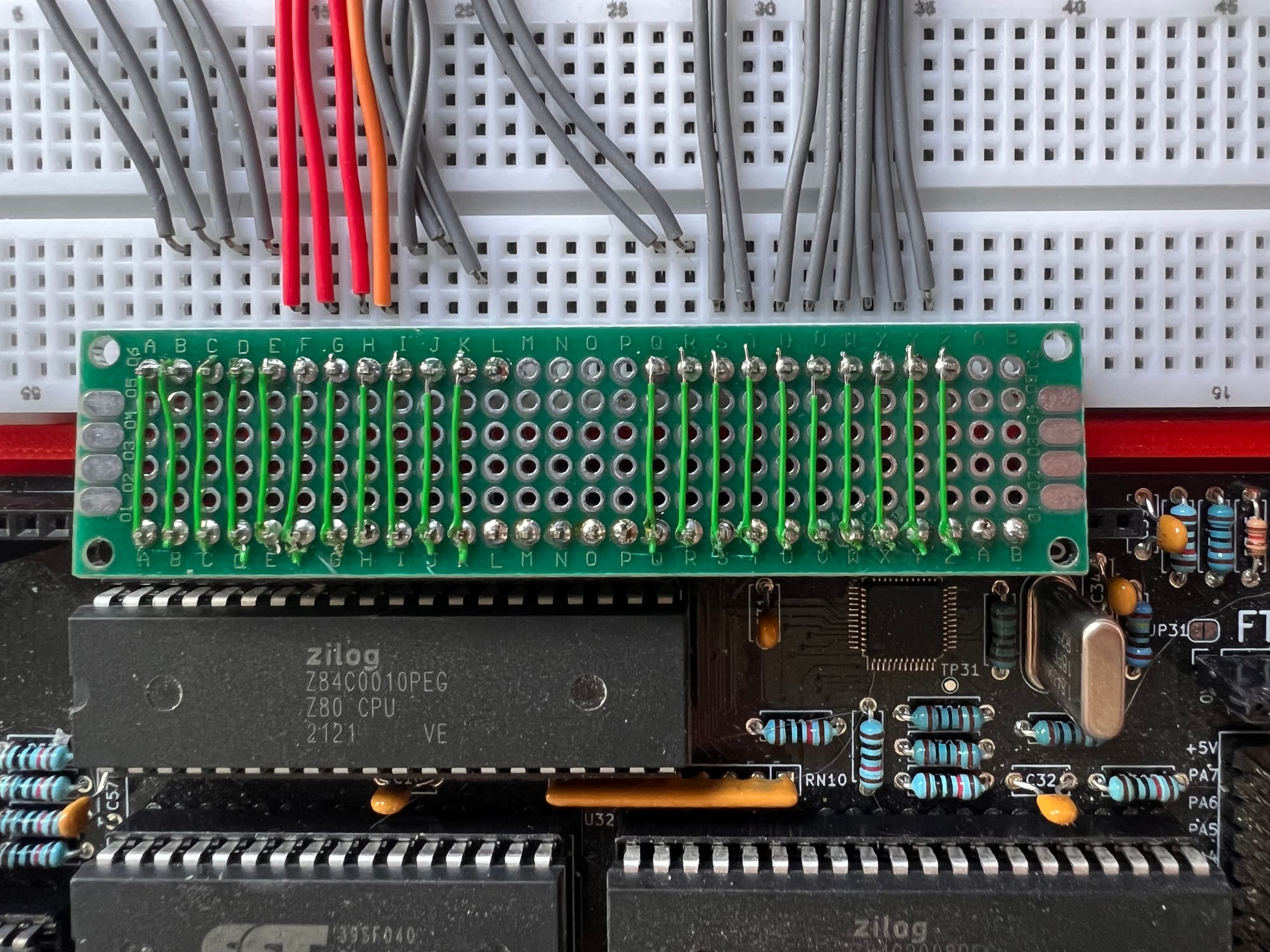
No pre-made tracks on this sort of prototyping board, so I hade to make my own with bits of wire.
Start 'er up
i connected the breadboard to the MicroBeast, double checked all the connections, and powered it on. Nothing. Nada. Not so much as a reset beep. Turns out I'd been counting 6 empty pins from the right-hand side of the MicroBeast RC2014 connector, yet when I made the adapter board I inadvertently included an extra 2 unwired pins. So I was off by two. Reseated everything, and this time we got a happy beep!
Next I wrote a quick Forth test harness to print what we're reading back from our IO port.
 0x9f constant PORT

: delay 100 ms ;

: b begin PORT in . cr delay key? until ;
Here I'm defining a new word b that sits in a loop reading values from the IO port PORT (1fh) and printing them to the screen. It does this until I press a key on the keyboard.
Running this in AntForth, I expected to see the following:
- UP: 8
- DOWN: 4
- LEFT: 2
- RIGHT: 1
- FIRE: 16
but what I actually got was very weird indeed. "Fire" was reading back as 6. "Left" was reading back as 0x28. All the other directions were giving me plausible looking readings but in the wrong order.
Naturally getting a "6" (which is a binary combination of 2 and 4) lead me to suspect that I had a short, or some wiring errors, so I checked the wiring assiduously, but could not find a fault.
I flailed around like this for quite some time, before the obvious mistake became apparent. I've wired the board to use port 1fh, the standard Kempston joystick port, which is all well and good on a ZX Spectrum, but on a MicroBeast ports 00h - 7fh are reserved for the system, and port 1fh actually maps to one of the PIO registers, so every time I read that port I'm getting a mix of my joystick data and whatever random crap the PIO fancies providing.
Attempt 2
Luckily, thanks to our 74HC688N, moving to a different port is a simple matter. I changed Q0 (pin 3) from LOW to HIGH - this is the bit that gets compared with address line A7, so this has the effect of moving our interface from port 1fh to port 9fh (we've added 80h).
I ran the Forth again. Better, but still not perfect. The weird results (like 6) have gone, but everything was in the wrong order.
Again I scrutinised the wiring. I removed the board and went back to driving the inputs manually, checking the various chip enables with an oscilloscope - nothing!
After quite a lot of head-scratching, I eventually found the problem, and it is this:
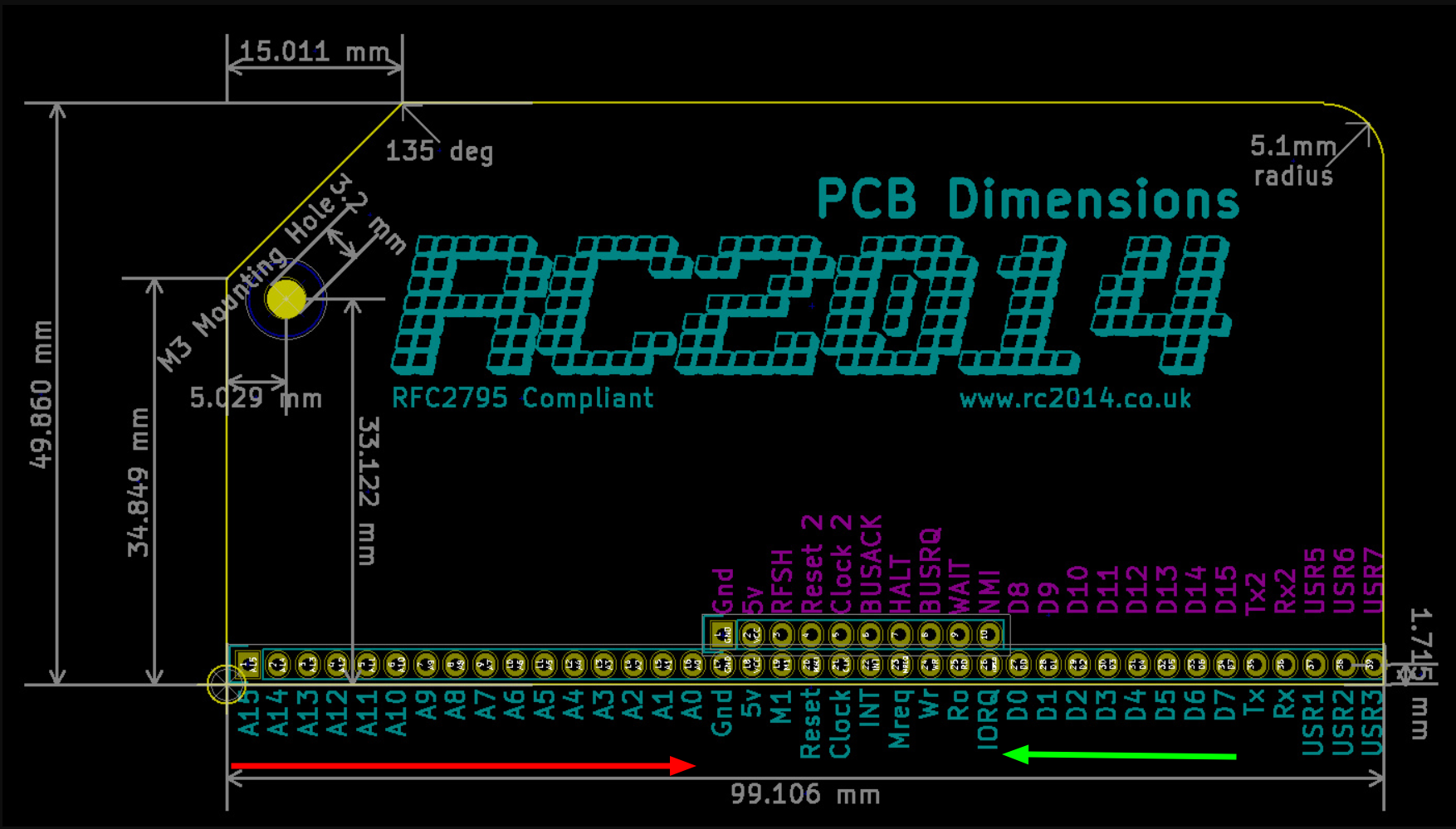
On the RC2014 backplane, the address bits decrease as you move from left to right. I'd assumed the data bits would do the same, but in fact their order is reversed! After a brief tantrum, I rewired my data bus the other way around.
Attempt 6?
After a few more rounds of that sort of thing (dodgy breadboard sockets, breadboard wires coming loose, a loose connection on my MicroBeast adapter) I finally got some results that look promising.
I decided to go a bit more deluxe with the Forth:
include vt52.fth

0x9f constant PORT

0x10 constant FIRE
0x08 constant UP
0x04 constant DOWN
0x02 constant LEFT
0x01 constant RIGHT

: delay 100 ms ;

: if-fire ( x -- ) FIRE and IF 38 12 at ." FIRE" THEN ;
: if-up ( x -- ) UP and IF 39 6 at ." UP" THEN ;
: if-down ( x -- ) DOWN and IF 38 18 at ." DOWN" THEN ;
: if-left ( x -- ) LEFT and IF 18 12 at ." LEFT" THEN ;
: if-right ( x -- ) RIGHT and IF 54 12 at ." RIGHT" THEN ;

: c begin
      cls
      PORT in
      dup if-fire
      dup if-up
      dup if-down
      dup if-left
      if-right
      delay
    key? until
;
This time I added some constants (FIRE, UP, etc) for the various signals, and a bunch of words to test each of them and print something if that signal is active (if-fire, if-up etc). Then we have a new word c that calls them in a loop, a bit like before. at is a word provided by vt52.fth and it just moves the cursor to the requested position, so 38 12 at /" FIRE " prints "FIRE" somewhere near the centre of the screen.
Here's the result:
Conclusions
We've now got a working prototype. The next logical step might be to make this a PCB: breadboards are great for prototyping, but they are extremely unreliable and delicate.
Another factor is that 74 series logic chips are getting increasingly hard to find. My usual source is AliExpress, but you run the risk of counterfeit or damaged parts. I religiously check every part with an IC tester as soon as they arrive, but even that failed in this project – I went through three different orders of 74HC138Ns! I think poor ESD handling can damage some chips in such a way that they still pass the chip tester, but fail in a live circuit. Shout out to BitsBox who were my last resort for providing this IC. Not as cheap as a Chinese supplier, but much faster to ship and the parts arrived in anti-static tubes, not a ziploc bag ;)
What modern alternatives exist? And are there any other types of joystick we might usefully support?
Join me in the next installment to find out the answers to these questions, and more besides!
Update!
Of course, I couldn't leave it there...what's the point of having a joystick if you can't play any games? So I knocked up a quick Snake game in Forth to test it:
Snake in Forth, with the new joystick interface
If you want to play it yourself you can fint it here - you can play it without the joystick, and there's even a GForth version to play on a modern computer.

Comments