VideoBeast: what do we know?
A VideoBeast release seems imminent: we round up all the currently known information.

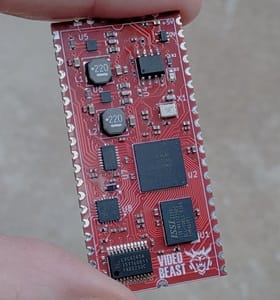
The long-anticipated VideoBeast graphics accelerator looks like it might arrive imminently, at least for a few lucky beta users. Ahead of that, let's gather together all information we currently have on this exciting board.
What is it?
It's an FPGA-based graphics chip for 8-bit CPUs, allowing them to generate high-performance arcade-quality graphics. It has an SD-card interface for storage. It's designed to be platform agnostic: the MicroBeast is its obvious home, but VideoBeast's interface is flexible enough to accomodate any processor with an RC2014-esque bus interface.
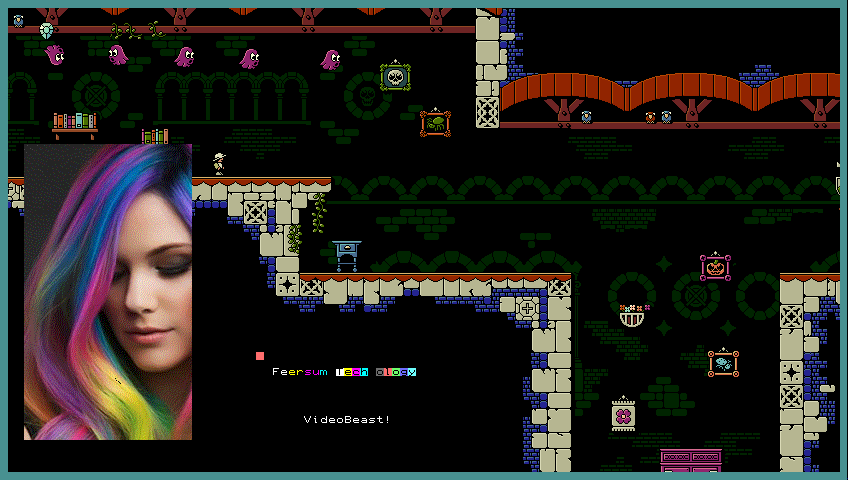
Graphics
Modes
Output modes are 320x240, 640x480, 424x240 and 848x480 in 9 bit colour (3 each for red, green, and blue).
Palettes
Colours are accessed via two palettes of 256 colours each (one for bitmaps, and one for everything else). One of the palettes can be subdivided into 16 mini-palettes (16 colours each) that can be used independently in certain situations.
Palette values are stored in 5:5:5 RGB format, with one bit for transparency.
Layers
The display is composited from up to 6 independent layers and a background colour. The layer types are:
- Bitmap layer:
- 4 bpp, 1024x512, 256 K, 16 colour palette
- 8 bpp, 512x512, 256 K, 256 colour palette
- Tile layer: 16 K, 1024x512 pixels / 128 columns x 64 rows of tiles, tiles are 16 colour (4 bpp) 8x8 patches, 16 palettes available, up to 1024 unique tiles (32 K).
- Text layer: 16 K, 128 columns x 64 rows of 8x8 character graphics, each with foreground and background colour, 16 colour palette (including transparency), 256x8 byte font (2 KB). Can "peek through" to an underlying 1024x512 1 bpp bitmap. Special support for ZX Spectrum screen layouts.
- Sprite layer: 256 entry (2 K) depth-order sprite list, each on/off, position (absolute or relative), orientation, palette and sprite number. Sprites are 8x8 up to 32x32, 4 bpp, chosen from up to 4096 cells (128 K).
- Background colour
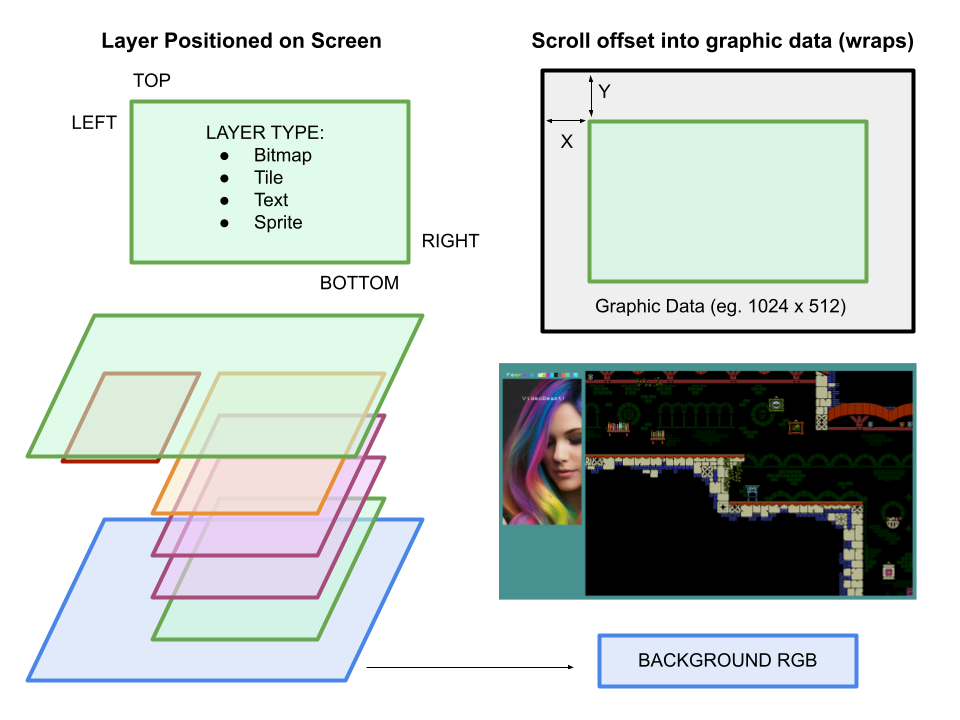
A layer acts as a window into a larger graphics data object such as a bitmap, tilemap or textmap. Layer windows can be any size on screen, and have an offset into their associated map in order to facilitate hardware scrolling and double buffering (depending on mode size). Layers can share mapped objects.
Some layers require more video bandwidth than others (8 bpp graphics and sprites) so some combinations may exceed the available draw time.
Layers are composited line by line, so layer multiplexing tricks are feasible.
A SNES-style MODE7 graphics layer (scaled and rotated sprites) has been mentioned several times in the past...but not recently.
Memory map
The VideoBeast is both a memory mapped and IO mapped peripheral. It appears as a 16 KB block mapped somewhere in the host memory (in MicroBeast, it is page 0x40 and can be mapped with the conventional mechanism).
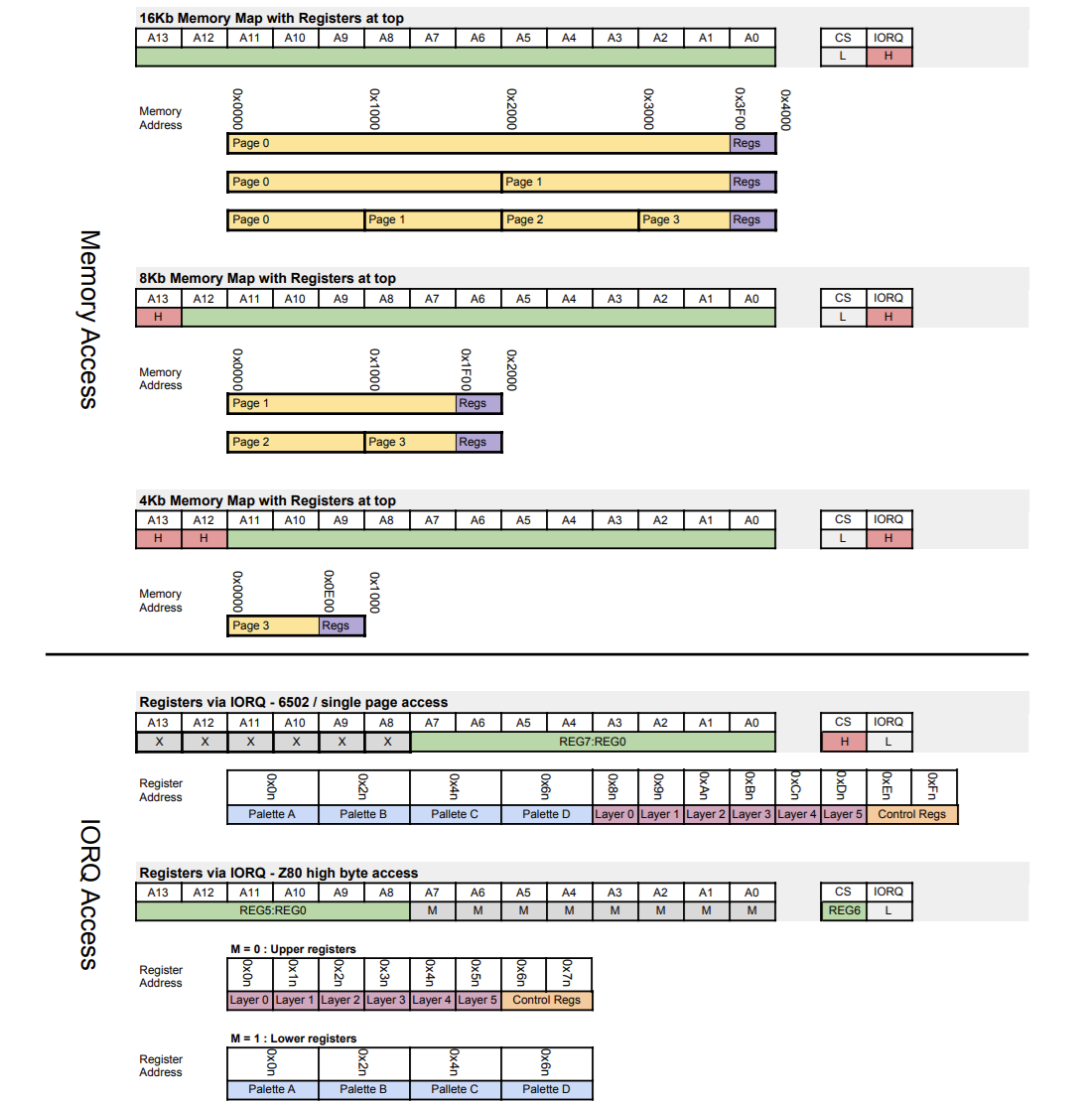
VideoBeast handles accesses to both the internal video memory and a file of 256 registers that control its operation. These registers are normally overlaid on one page of the addressable video memory, but they can be collapsed down to just 2 overlaid bytes. Alternatively, the register overlay can be turned off entirely and the register file accessed via IO addressing instead.
This provides a great deal of flexibility allowing VideoBeast to interface with a variety of host processors and platforms. A VideoBeast peripheral targetting a particular platform will incorporate the necessary glue logic, as well as host the VideoBest device itself.
Within the 16 KB host window, VideoBeast memory can be treated as a single 16 KB page, 2 x 8KB pages, or 4x 4KB pages, each mapped to any 4KB bounday in the video RAM, to facilitate fast copying between regions.
Other bits and pieces
1 bpp bitmap + attribute overlay mode
Text layers can provide a 64KB 1bpp bitmap which "shows through" the character grid where the character value is 255, using the attribute values for that cell.
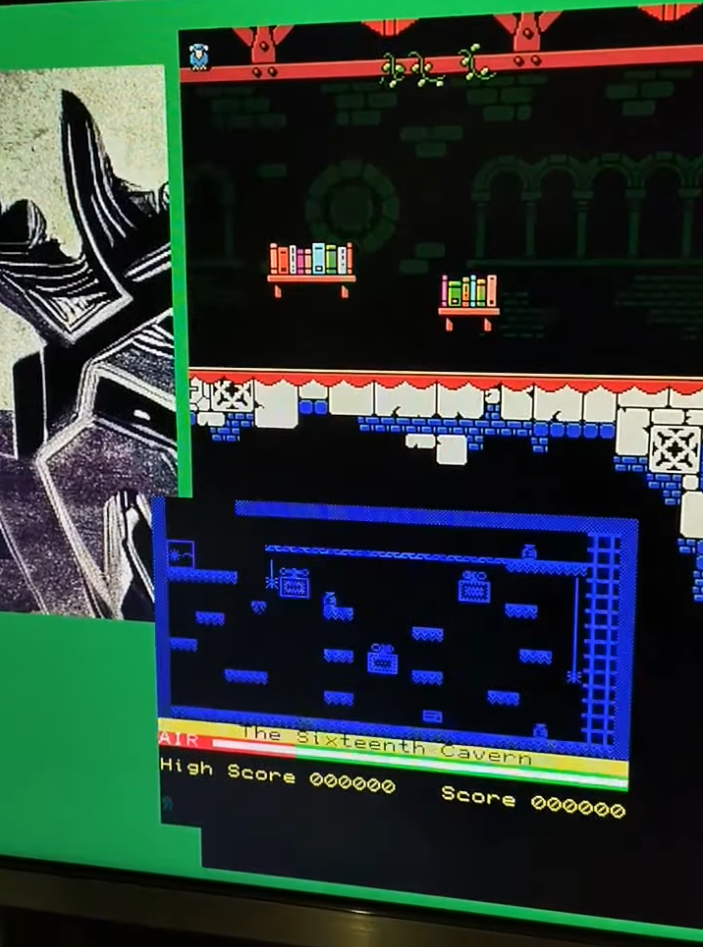
Spectrum graphics mode
The host computer can write graphics to Spectrum-format screen memory, and VideoBeast will decode the layout into its 1024x512 bitmap: a big boon for legacy Spectrum titles, obviously.
SPI interface
VideoBeast exposes an interface to its SPI bus, to which the SD card and internal flash are connected. A DMA transfer function is included, although it looks like this is from SPI to RAM only, it doesn't allow you to write to SPI.
Raster interrupt
VideoBeast generates an interrupt per frame (so that's 60Hz for VGA modes), and the interrupt has a programmable delay, allowing you to trigger it on a particular line for raster effects. The interrupt can be re-triggered within the same frame for multi-split effects.
Maths accelerator
VideoBeast has hardware acceleration for calculating the 32-bit product of two signed 16 bit values.
Mode 7 graphics
SNES-style mode 7 graphics (rotated, sheared, projected bitmaps) might be included.
Collision detection
Sprite data include two bits for Collision 0/1 plane visible and tile maps have a single bit for Collide (sprites can hit tile) which tantalizing hints at some support for collision detection, although there are no other details!
Blitter
A fast memory copy/fill might be included, and it could be extended to include fast line drawing, triangle filling or rectangular filling of vector graphics.
BeastEm emulator support
BeastEm already has rudimentary support for VideoBeast emulation, but this excludes sprites, line interrupts, and the SD card. The related documentation is fairly old - I presume the emulation is for an older version also. The emulation necessarily lags the hardware spec, so it will likely receive a flurry of updates once the hardware spec is nailed down.
Host adaptors
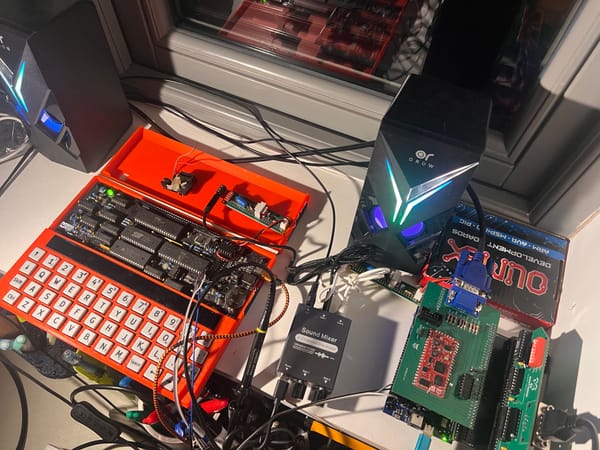
Host adaptors (interface glue logic) for MicroBeast, NanoBeast, RC2014 and ZX Spectrum have been announced or demonstrated. There is considerable interest in the Discord channel in 6502 and 68000 interfaces also, although these might be community efforts.
Comments