Build a traffic light! (Part 4th)


In part 3 we implemented an assembler version of our traffic light code, just for kicks. In the same spirit I'm going to take you out of your comfort zone and show you an implementation in a very different language.... Forth.
Don't panic! your deep intuition of how the program is meant to work will give you great insight into the unfamiliar Forth syntax!
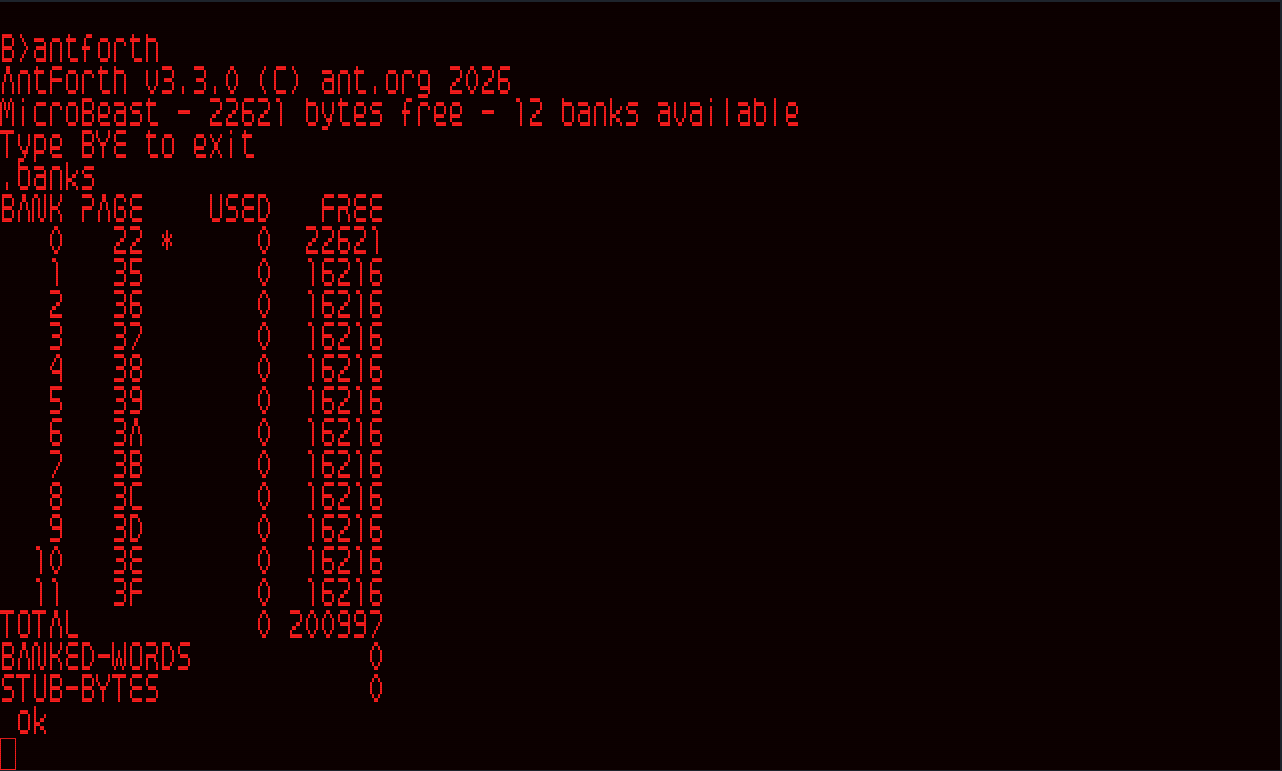
If you want to follow along rather than just reading then download and install AntForth to your B drive. Type B:ANTFORTH to start it up (and type bye to get back to CP/M).
 blowback
Let's dive straight in...
Setting up (new version!)
First we'll create some constants for our ports and LEDs:
0x10 CONSTANT PORTA-DATA
0x12 CONSTANT PORTA-CTRL

1 CONSTANT RED
2 CONSTANT AMBER
4 CONSTANT GREEN

RED AMBER OR CONSTANT RED-AMBER
RED AMBER GREEN OR OR CONSTANT ALL
ALL INVERT CONSTANT NONE
This time around we don't need to do any mucking about adding our own handler to the 'Beast's user interrupt, because it's already built in to the multitasking system in newer versions of AntForth.
GPIO init
The word to set up Port A of the PIO port is the same as the old version:
: PIO-INIT ( -- )
   0xCF PORTA-CTRL OUT      \ mode 3 (bits)
   0xF8 PORTA-CTRL OUT      \ A[2:0] are outputs
   0x03 PORTA-CTRL OUT ;     \ disable interrupts

: LIGHT ( ledmask -- ) INVERT PORTA-DATA OUT ;
I also added a convenience word LIGHT to turn on some combination of LEDs, taking care of the whole active-low situation.
Main routine
Our main routine now becomes:
: TRAFFIC ( -- )
   PIO-INIT

   ." Lamp test..." CR
   ALL LIGHT 2 DELAY

   ." Lights out..." CR
   NONE LIGHT 2 DELAY

   ." Main sequence" CR

   BEGIN
      RED       LIGHT 3 DELAY    \ stop
      RED-AMBER LIGHT 2 DELAY    \ get ready
      GREEN     LIGHT 7 DELAY    \ go
      AMBER     LIGHT 3 DELAY    \ slow down
   0 UNTIL ;
One thing you should notice: this routine runs in the background - you can still use the Forth REPL while the traffic light sequence continues to work!
Setting up (old version!)
First, we'll create some constants for our ports and LEDs:
0x10 CONSTANT PORTA-DATA
0x12 CONSTANT PORTA-CTRL

1 CONSTANT RED
2 CONSTANT AMBER
4 CONSTANT GREEN

RED AMBER OR          CONSTANT RED-AMBER
RED AMBER GREEN OR OR CONSTANT ALL
ALL INVERT            CONSTANT NONE
Next we need to hook into the 'Beast's User Interrupt for its 64 Hz timer tick, just like we did in assembler. We'll use Forth's built-in assembler to do the same.
Handling the timer interrupt
First we create a plain old Forth variable that will hold our tick count:
VARIABLE TICKS-LEFTThen we write the tick handler, which fetches TICKS-LEFT, and if it isn't zero already, decrements it. We need to do this in machine code, and Forth has a built-in assembler which we can use inside CODE...END-CODE blocks:
CODE TICK-ISR
   HL TICKS-LEFT () LD,     \ LD HL,(TICKS-LEFT)
   A H LD,   L OR,          \ A = H OR L  -> Z flag set when HL = 0
   Z RET,                   \ already at 0? nothing to do
   HL DEC,                  \ one tick closer
   TICKS-LEFT () HL LD,     \ LD (TICKS-LEFT),HL
   RET,
END-CODE
Hopefully you can follow the assembly language: the operands precede the operator in the usual Forth style, which is probably the reverse of what you're used to!
Now we write some code to install that tick handler (and also to uninstall it, crucially):
CODE (SET-USR-INT)
   DE PUSH,                 \ preserve the Forth IP
   H B LD,   L C LD,        \ HL = BC  (addr is TOS in BC)
   0xFDC7 CALL,             \ MBB_SET_USR_INT
   DE POP,                  \ restore IP
   BC POP,                  \ load next TOS (addr consumed)
   NEXT,
END-CODE
Then a couple of convenience words to start and stop the clock (Forth calls a subroutine or function a word):
: START-CLOCK   ['] TICK-ISR (SET-USR-INT) ;
: STOP-CLOCK    0 (SET-USR-INT) ;
That funny looking ['] construct means "get the address of the following word" so ['] TICK-ISR gets the address of our tick handler function. We start the definition of a new word with : and end it with ;.
Next we'll make a handy word that lets us specify a delay in seconds, using our new tick counter to make it possible:
: DELAY ( seconds -- )
   64 *  TICKS-LEFT !
   BEGIN
     KEY? IF ABORT THEN
   TICKS-LEFT @  0= UNTIL ;
Here we're multiplying the number of seconds we were asked to wait by 64, since we actually count 64ths of a second. We write that to TICKS-LEFT which our TICK-ISR routine will decrement in the background. Then we sit in a loop (BEGIN...UNTIL) until it hits zero. The extra bit of business in there KEY? IF ABORT THEN throws an exception if we press a key, so that we can regain control without having to reset the whole computer.
GPIO init
Now let's make a word to setup PIO Port A:
: PIO-INIT
   0xCF PORTA-CTRL OUT      \ mode 3 (bits)
   0xF8 PORTA-CTRL OUT      \ A[2:0] are outputs
   0x03 PORTA-CTRL OUT ;     \ disable interrupts
And a word to light the LEDs we want, taking into account that the LEDs are "active low" (we write a 0 to enable them):
: LIGHT INVERT PORT-DATA OUT ;Main routine
Now all that's left is our main routine:
: TRAFFIC ( -- )
   PIO-INIT
   START-CLOCK

   ." Lamp test..." CR
   ALL LIGHT 5 DELAY

   ." Lights out!" CR
   NONE LIGHT 2 DELAY

   BEGIN
      RED          LIGHT   3 DELAY    \ stop
      RED-AMBER    LIGHT   2 DELAY    \ get ready
      GREEN        LIGHT   7 DELAY    \ go
      AMBER        LIGHT   3 DELAY    \ slow down
   0 UNTIL ;
We've created a new word TRAFFIC that does the PIO setup, starts the clock, and then sits in an infinite loop (BEGIN...AGAIN) turning the LEDs on and off and pausing.
To run it we'd type TRAFFIC at the Forth REPL and admire our handiwork. Press any key to exit. Then we should type STOP-CLOCK to unhook the User Interrupt handler (or just press the 'Beast's RESET button).
Comments