Line out for NanoBeast

Recently I was doing some one-bit beeping on my borrowed NanoBeast and comparing it to my MicroBeast. An unfair comparison because the MicroBeast has been modified to provide a line output, which is connected to some beefy speakers, and it sounds pretty good.
Andy pointed out that there's a header on the NanoBeast board specifically for this purpose, so I decided to level the playing field.
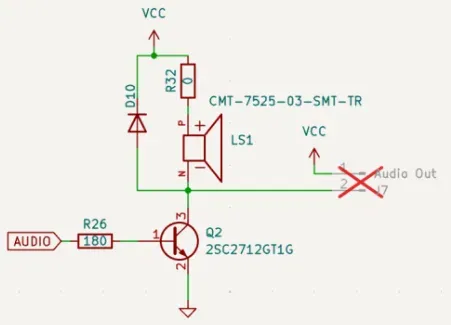
Here's the schematic of the NanoBeast's output circuit:
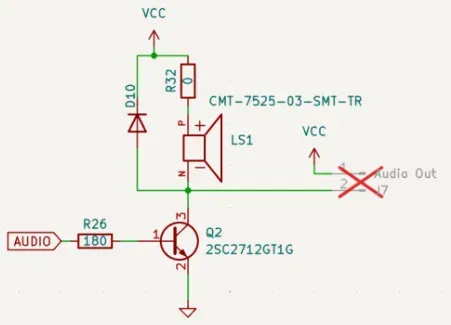
J7 is a two pin JST PH. If you look closely, it provides the audio signal relative to 5v: there's no GROUND pin in the connector. The audio output floats at 5v and NanoBeast drives it below 5v to generate a square wave.
This is a bit of a peculiar arrangement: the 5v on the connector is not useful, and the absence of an audio GND is inconvenient. If there'd been a ground the circuit would be a simple resistor/capacitor affair. There's nowhere nearby to conveniently get a ground either, without introducing an ugly mod wire.
We can't use the Vcc as ground (even after decoupling). The DC voltage is still present, and if we connect it to the output's sleeve and whatever we're plugging it into (a little mixer, say) gets its ground from the same place the NanoBeast does (both powered by USB from the same PC, for example) then we've just shorted the 5v rail. Not good!
DI box
What we need is galvanic isolation: an audio transformer will magnetically couple the input circuit to the output circuit, without connecting the grounds. This will prevent any "ground loops" and should protext us from Hum and USB whine: this is the same approach used by "DI boxes" in recording studios, traditionally given to bass players with cheap instrument cables...
This complicates the circuit ever so slightly and makes it a bit bulkier, but audio transformers are pretty common and cheap. We need something in the 1:1 audio range, about 300 mH. Not a telecom transformer: they hammer the bass response. Any transformer we have is going to introduce unwanted bass rolloff and a little low frequency distortion, so it pays to pick a good one. Having said that, our audio source is pretty lo-fi to start with so it probably doesn't really matter.
Here's the circuit:
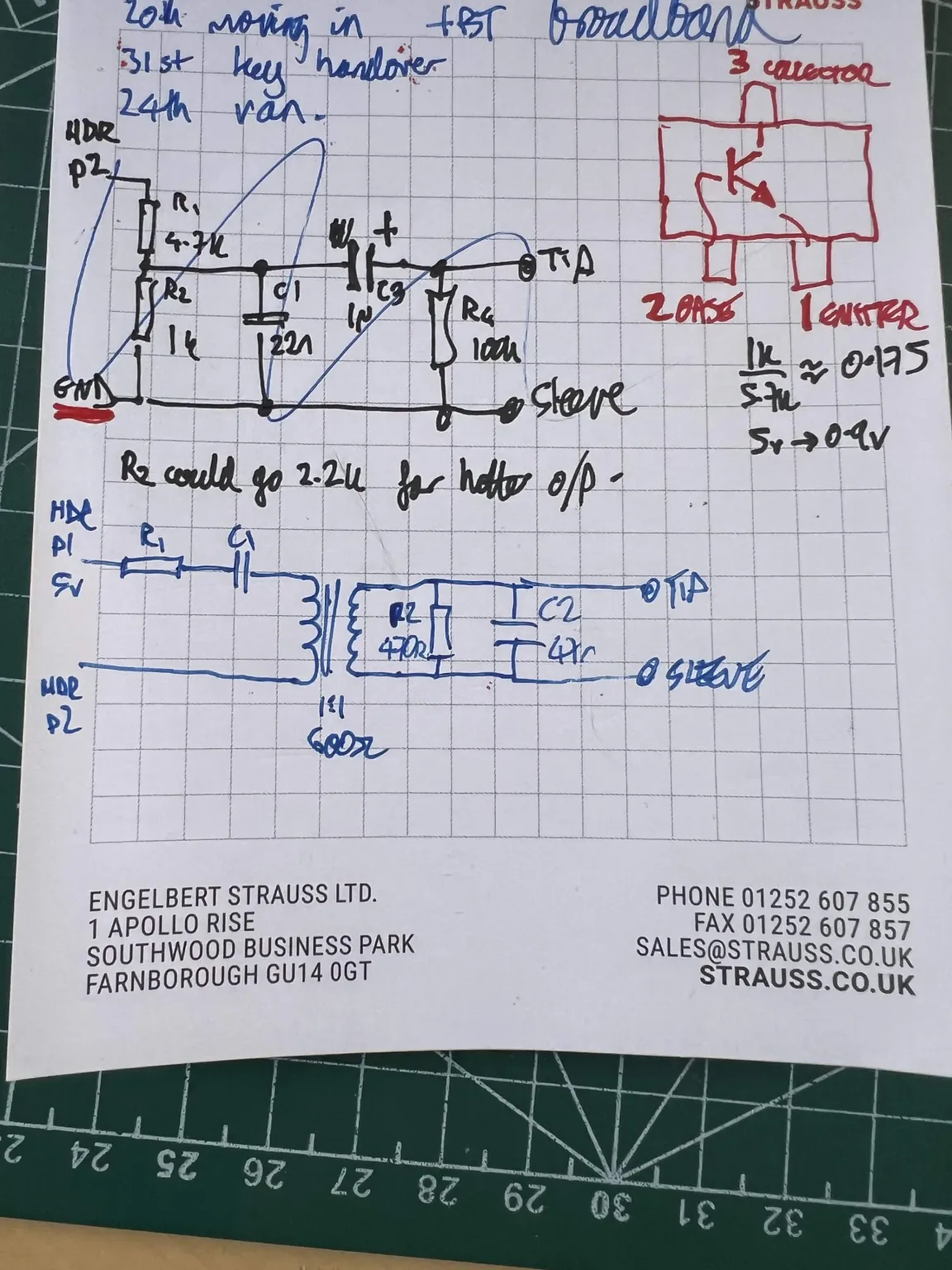
Haha only kidding, here it is in Kicad:
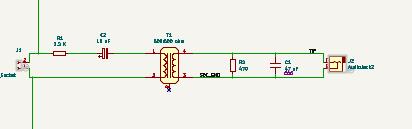
Audio comes in from the NanoBeast on the left via J1. R1 and R2 are a simple voltage divider (yes, even across the transformer) that sets the voltage level. C1 blocks DC: without it our transformer primary would saturate and waste current as heat. C2 is our low-pass filter, it sees the bottom of the PD plus a bit of winding resistance from the transformer secondary. It will also block some of the ringing that the transformer coil will introduce. 47nF should give us a corner frequency of about 8.7 kHz. 33nF would give is 12kHz, and 68nF about 6kHz. It's probably a good idea to use a C0G capacitor for C2, to stop the corner frequency drifting with temperature and to prevent "microphonic" noise (if you tap the board, a ceramic cap can act as a tiny microphone). Again, it's not an audiophile source, so use what you have.
Disable the internal beeper
If you want only the line out and no internal beeper, you can lift R32, which is the one nearest the battery clip:
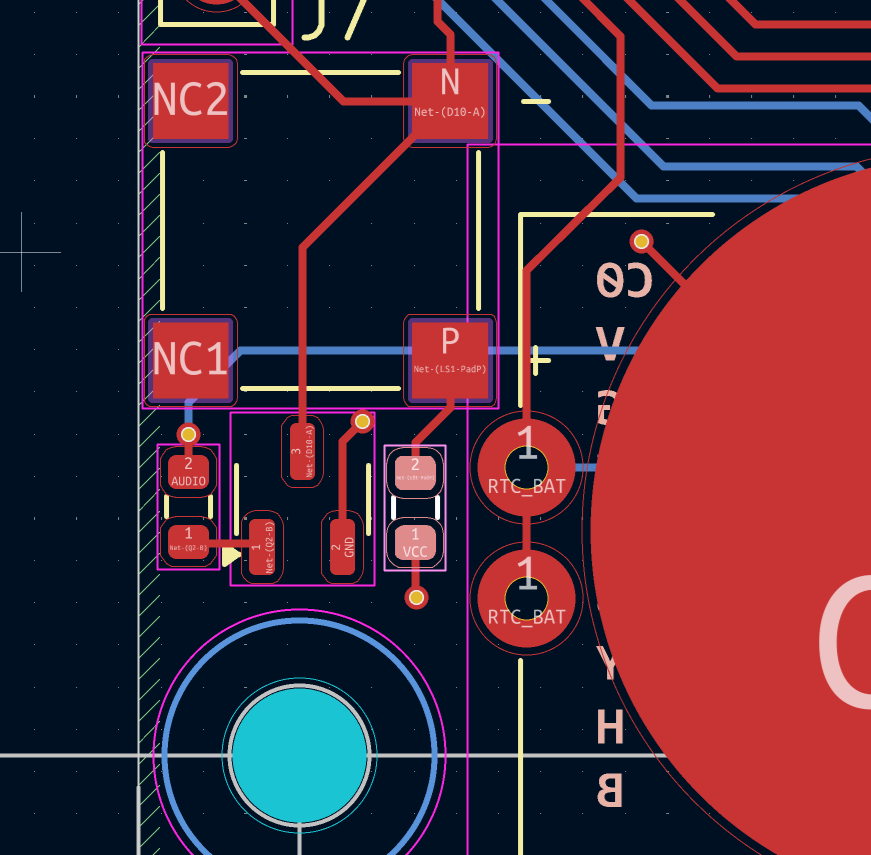
If you decide to make this mod, we need to add a 1K resistor to our circuit across pins 1 and 2 of the input connector. Without R32, nothing pulls the collector up when the transistor is off.
I didn't bother: it's going to be drowned out by the speakers anyway!
Model all the things
This circuit is so simple that we ought to be able to model it to see its frequency response before we commit to solder.
I had a lovely time modelling this in LTSpice, a truly janky piece of software, but it does the job. SPICE gives me horrible flashbacks to my undergrad days, but at least moderm LTSpice is marginally better than the DOS-based version we had to run on wheezy IBM XTs. Marginally.
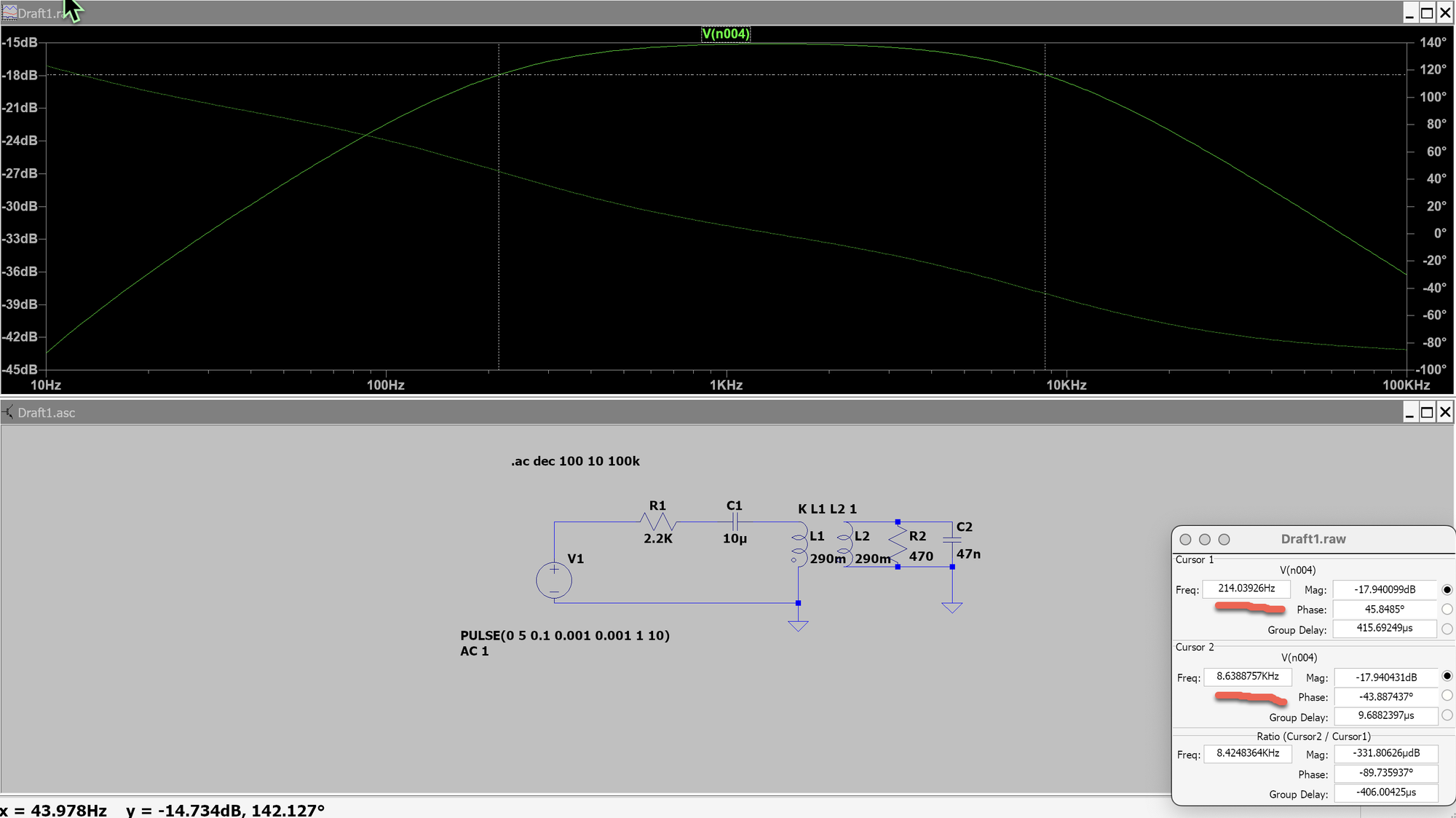
So you can see we're "flat" between about 250Hz and 9kHz and roll off either side of it. Bass roll-off is unfortunate, the only way we can fix that is more expensive transformers (like, studio grade, several H) or a more elaborate circuit.
After learning the, er, peculiarities of LTSpice, I realised that I could in fact have done this in Kicad all along, without having to redraw the schematic. This means learning an entirely new set of fiddly SPICE parameters, but at least everything's all in one place.
Now I can show you the full Kicad schematic that I'd cunningly cropped earlier to hide the simulation stuff:
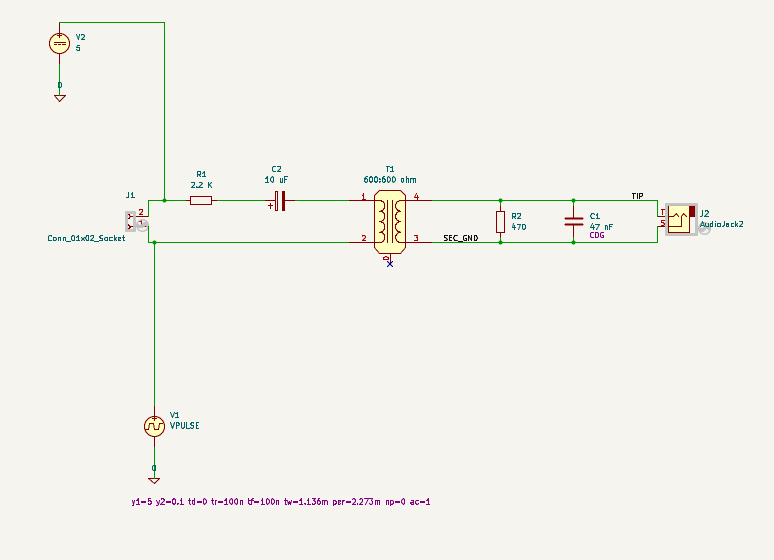
V2 is a simulated voltage source providing a constant 5V, and V1 is a pulse audio source emulating the NanoBeast's audio output, i.e. driving from 5v down to 0v. The curious "0" ground symbol is just the simulation's reference voltage.
I had to model the transformer as a pair of linked inductances (equivalent to the K L1 L2 1 notation you see on the LTSpice schematic).
Here's the analysis you get:
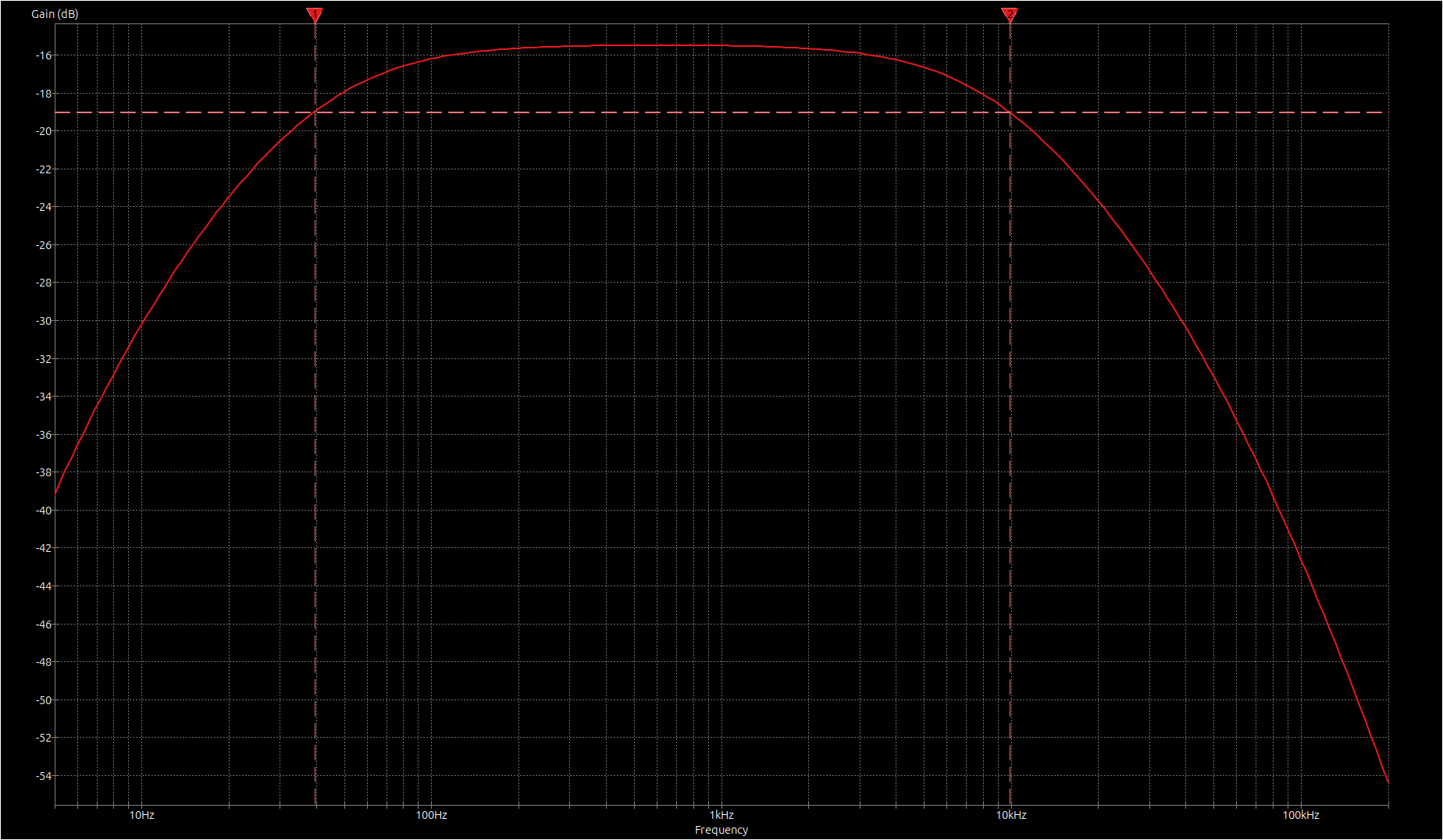
Same result, easier on the eye.
We can do a transient analysis while we're at it:
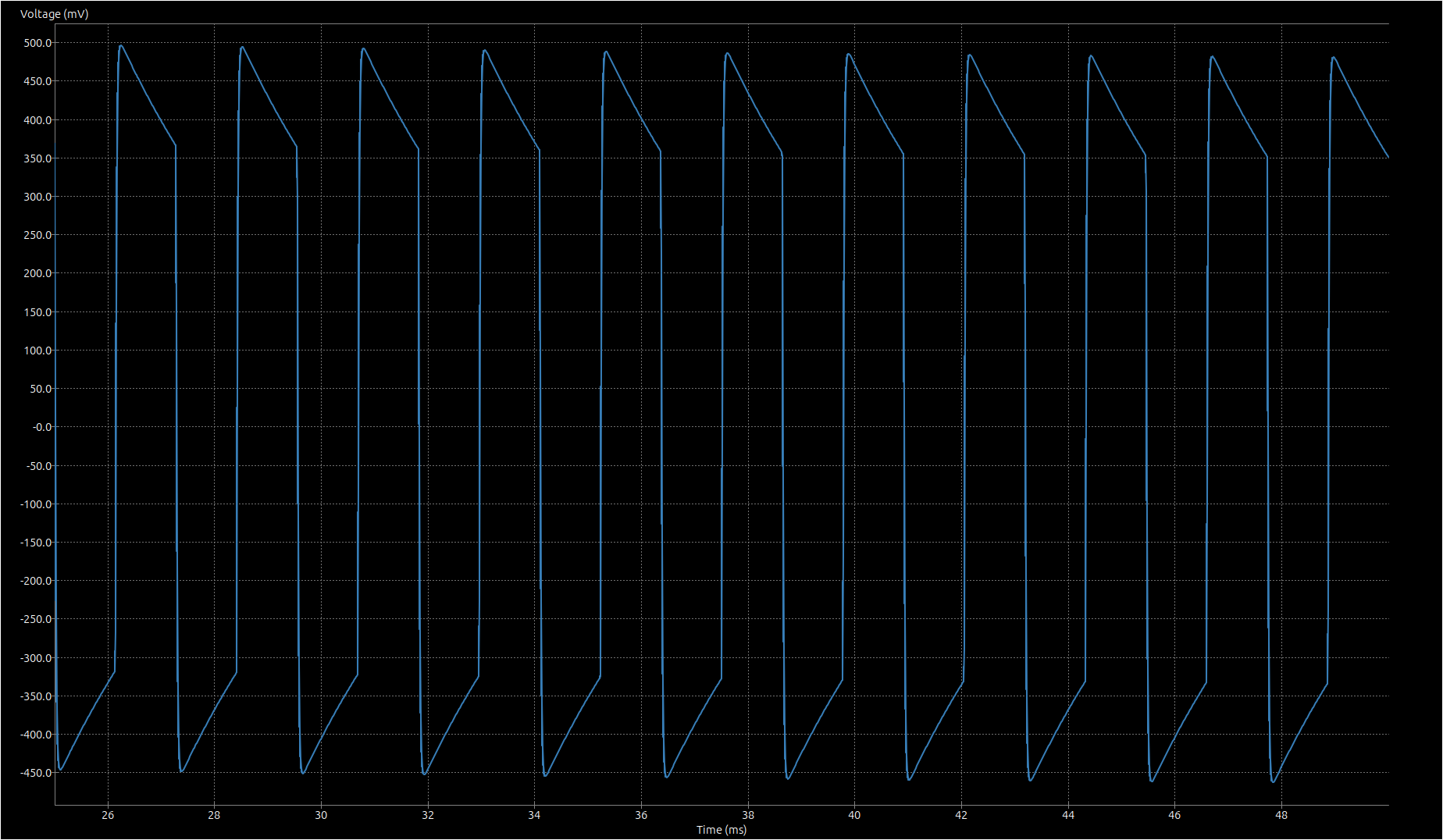
A nice square wave would be ideal, we're seeing some jaggies thanks to the transformer's inductance acting as a high pass filter.
If you build it, they will come
So far, we've learned that my simplistic filter circuit will just about do the job, if we model it with perfect components. The next step is to build it up from whatever junk we have lying around and hope the resulting board is up to the job!
Meet the cast:
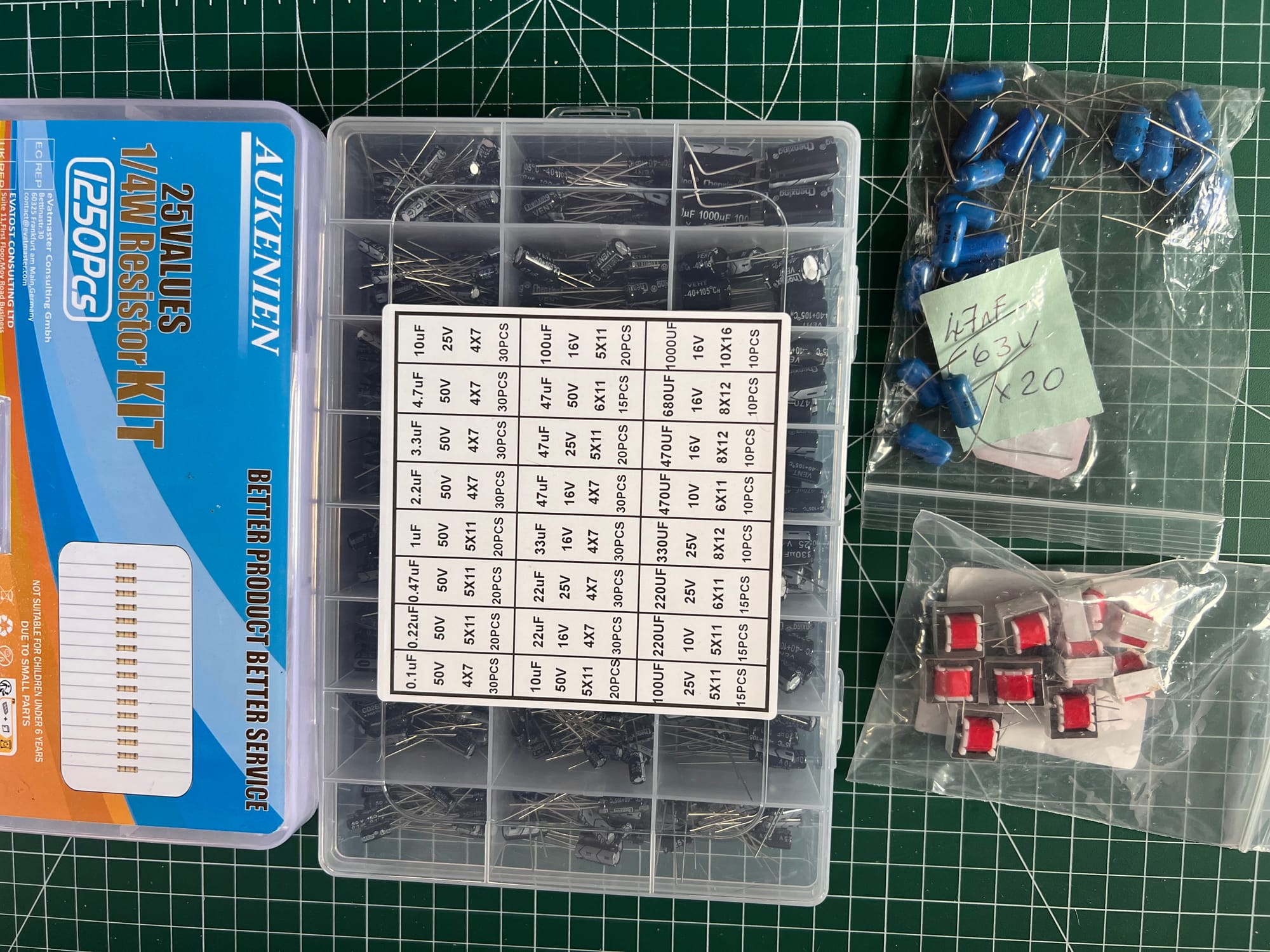
C0G caps and audio transformers sourced from eBay for a couple of quid, various other bits from stores.
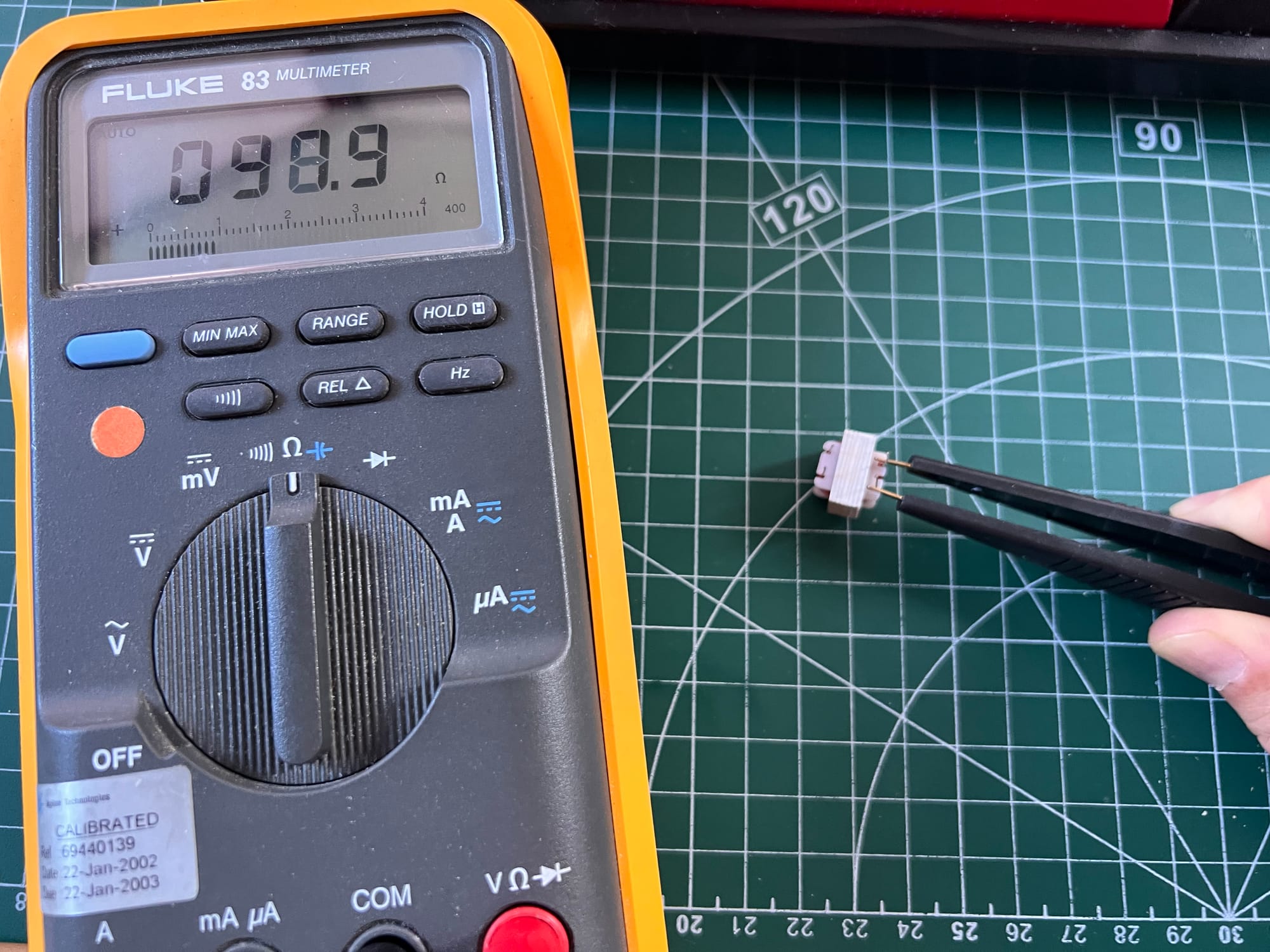
The el cheapo transformers are a little off the pace: we modelled 135 ohms of winding resistance not 100, but it probably won't make any audible difference. Every compromise we make just introduces character to our 1 bit audio, right?!
What I should do is measure it with an LCR meter, but I can't find it, and I can't be bothered setting up a test circuit with a sig gen.
The circuit's pretty simple, so I built it all out on bodge board:
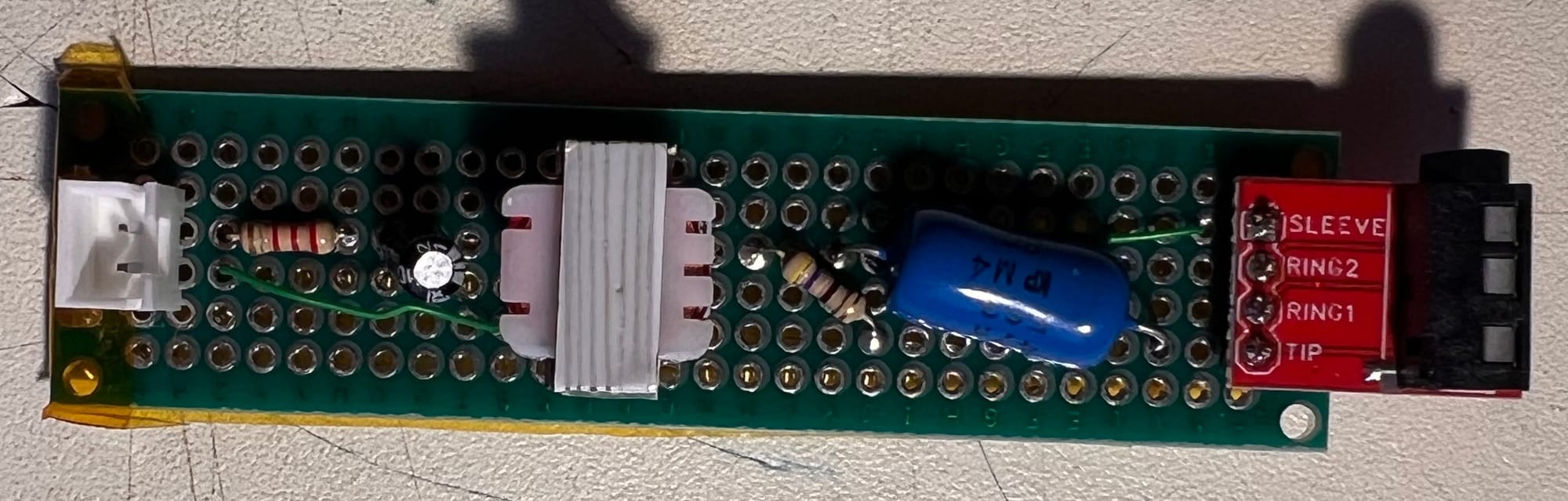
I like to get as far as I can by bending or re-using component legs, as I find mod wire infuriating to work with:
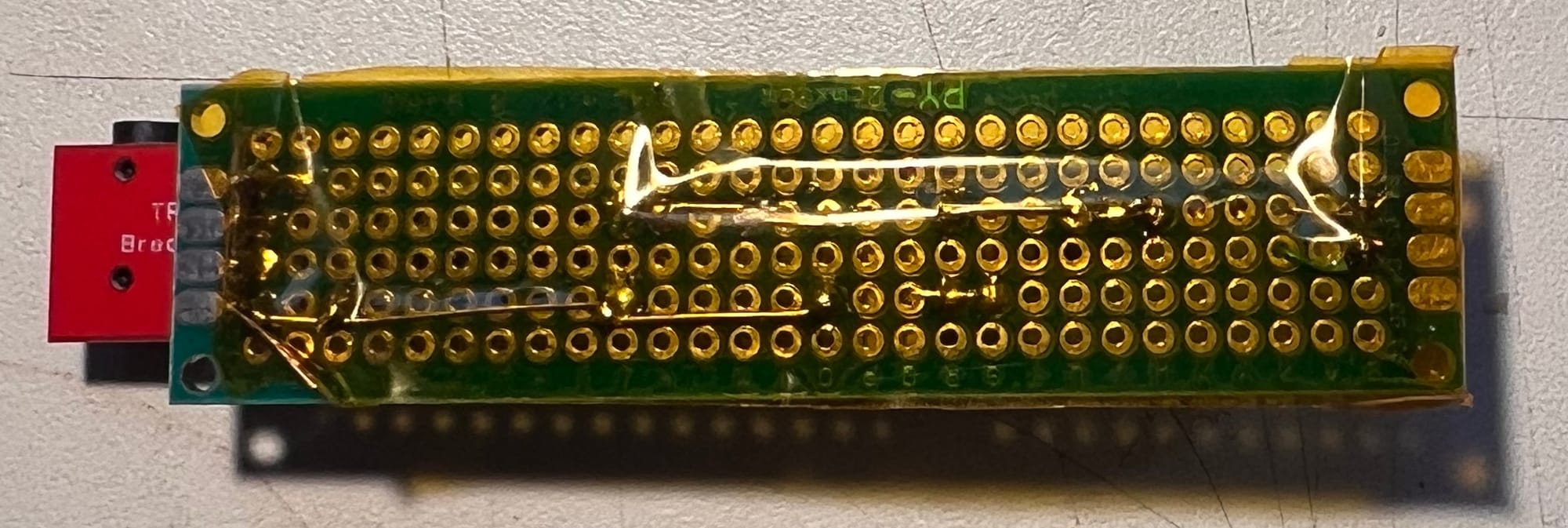
The build's pretty simple, only took about 10 minutes to build up. Buzzed it out with a mutlimeter, and everything seems fine. Time for a test drive!
The Acid test
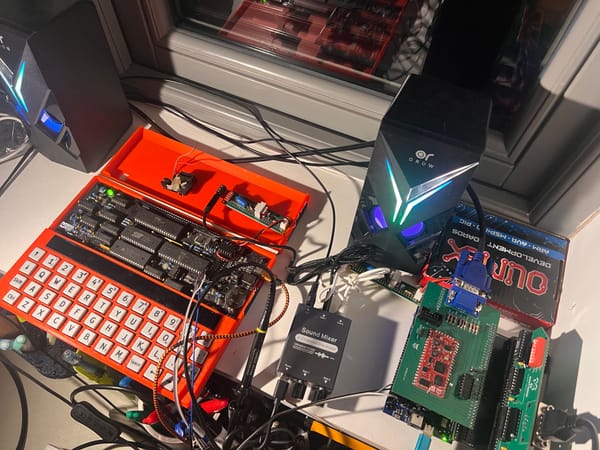
How does it sound? Pretty good, actually! I was worried the bass would be a little weak, but it comes across pretty well. There's maybe a modicum of high-end distortion, hard to tell with the sort of source material I'm listening to.
You can have a listen for yourself:
Comments